Storyboards that stay consistent
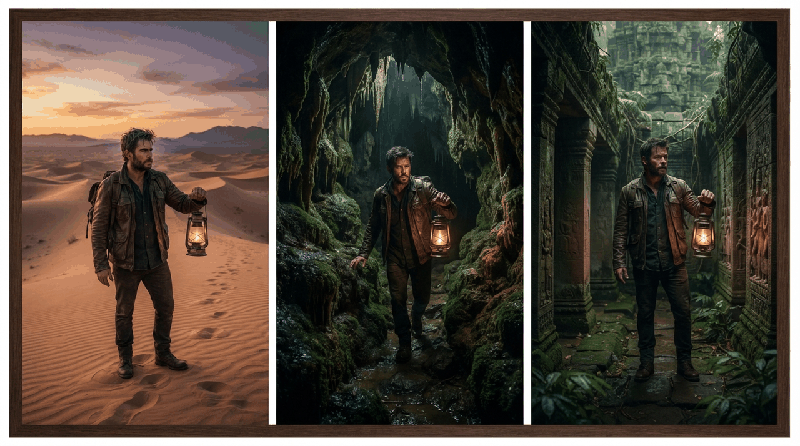
The biggest giveaway of an AI video is drift: the hero's face, the shirt or the room changes from one clip to the next. Vidnora plans the whole video before it draws anything, so every clip is made from the same decisions.
Why clips drift
Each clip is generated on its own. If two clips are described a little differently — "a young man in a blue shirt", then "the boy" — the generator draws two different people. Consistency has to be decided once and then repeated in every prompt.
The story bible and the shot list
Before any picture is made, the Storyboard stage writes a story bible for the whole video: the main characters with a fixed description and up to three looks each (school uniform, festival clothes), the locations, the props and the colour palette. It then plans one shot per clip — who is in it, in which look, where, how it is framed and which lines are heard.
Every image and clip prompt is written from that plan, so "Ravi in his uniform in the classroom" means the same thing in clip 3 and in clip 40.
Confirm the cast and the places
- At the cast step, check each main character and each fixed location the plan found.
- Make a reference image for each — a portrait for every look, an empty establishing shot for every place — or upload your own photo.
- Change a description if it is not what you pictured; nothing has been drawn for the scenes yet.
- Confirm. From here on the references travel with the scenes.
How references are used in each scene
Each scene gets the references of the people and the place that its shot names — up to three — instead of everything at once. A scene that continues the previous one opens on the moment the last one ended on, so actions carry across the cut.
When one scene still looks wrong
- Regenerate that scene alone, with an instruction such as "same jacket as scene 4".
- Use Fix failed scenes to redo only the clips that failed; the others are kept.
- Keep minor characters undescribed or generic — only the main cast needs a fixed look.